How to Integrate IPTV with Multi-Room Streaming in 2026
🏠 Introduction: The Future of IPTV Multi-Room Streaming
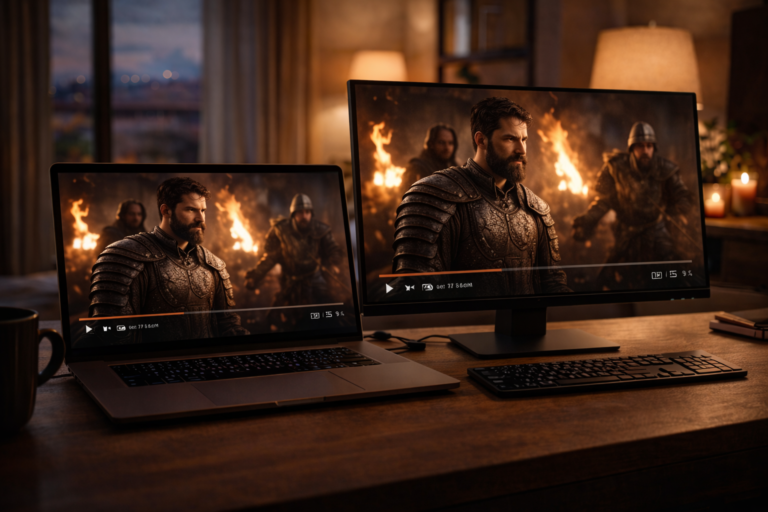
Imagine walking from your living room to your bedroom, and the IPTV show you were watching continues seamlessly without missing a second. That’s the power of How to Integrate IPTV with Multi-Room Streaming in 2026.
IPTV has already transformed how we consume content, but in 2026, multi-room streaming is becoming the gold standard. Families and tech-savvy users are no longer satisfied with one screen — they want synchronized entertainment across the whole house.
This guide will show you how to set up IPTV across multiple rooms, optimize your network, and unlock a premium streaming experience.
🎯 Why Multi-Room IPTV Matters
Multi-room IPTV isn’t just a luxury — it’s quickly becoming a necessity in modern homes. Here’s why it matters in 2026:
- Family-Friendly: Parents can watch the news in one room while kids enjoy cartoons in another.
- Seamless Experience: Move between rooms without stopping your favorite stream.
- Smart Home Integration: Connect IPTV to Alexa, Siri, or HomeKit for unified control.
- Scalable: Add more devices as your home entertainment needs grow.
With IPTV evolving to 4K and Dolby Atmos standards, spreading this quality across rooms creates a cinema-like experience throughout the home.
📲 Step 1 – Setting Up IPTV on Your Primary Device
Every multi-room IPTV setup starts with one primary device — usually an iPhone, iPad, or Apple TV. This acts as the “master control” for your playlists and EPG (Electronic Program Guide).
✅ How to configure the primary device
- Choose a reliable IPTV app that supports multi-room streaming.
- Import your M3U or Xtream Codes playlist on this device first.
- Test the stream quality in 4K and ensure Dolby Atmos audio works.
- Link the device with your smart home hub (HomeKit or Alexa) for easy expansion.
Once the primary device is configured, extending IPTV to other rooms becomes a matter of syncing and casting. That’s where Step 2 comes in — expanding to secondary devices.
📺 Step 2 – Extending IPTV to Other Rooms
Once your primary device is set up, it’s time to spread IPTV across the house. How to Integrate IPTV with Multi-Room Streaming in 2026 means connecting every room in a seamless network.
🔑 Methods to extend IPTV
- Smart TVs: Install the same IPTV app directly on compatible Smart TVs.
- Apple TV or Fire Stick: Use them in bedrooms or living areas to mirror your main account.
- Screen Casting: Cast streams from your iPhone/iPad to other screens using AirPlay.
- Secondary Devices: Tablets and additional iPhones can log in with synced playlists.
This step ensures each room can access IPTV independently while staying linked to your main account.
🔄 Step 3 – Synchronization and Unified Control
Multi-room IPTV isn’t just about access — it’s about synchronization. Nobody wants one room to be 10 seconds behind the other.
⚙️ How to sync IPTV across rooms
- Use apps with built-in multi-device sync features.
- Enable cloud playlist storage so changes update across all devices instantly.
- Integrate IPTV with Alexa Routines or Apple HomeKit for voice control.
- For music channels, Dolby Atmos synchronization ensures audio matches across speakers.
Unified control through smart home assistants makes IPTV a part of your daily lifestyle.
🌐 Network Optimization for Multi-Room IPTV
Smooth multi-room IPTV requires a rock-solid network. Weak signals = buffering and sync issues.
🚀 Tips for stable multi-room streaming
- Wi-Fi 6/6E Routers: Handle multiple 4K streams with ease.
- Mesh Wi-Fi Systems: Eliminate dead zones across large homes.
- Bandwidth Management: Prioritize IPTV traffic for smoother playback.
- Ethernet Backhaul: Connect Apple TVs or routers with wired Ethernet for stability.
A strong network is the foundation of How to Integrate IPTV with Multi-Room Streaming in 2026.
🛠️ Accessories and Tools for Multi-Room IPTV
To elevate your IPTV setup, the right tools and accessories make a huge difference.
- HDMI Extenders: Distribute IPTV signals over long distances.
- Smart Remotes: Control all IPTV devices from one remote.
- Dedicated Speakers: Pair Dolby Atmos speakers for immersive audio in each room.
- Wireless Hubs: Keep all IPTV connections organized and synced.
These extras transform IPTV from “multi-room streaming” into a full home-theater network.
🔎 Reality Check: Challenges of Multi-Room IPTV
Multi-room IPTV in 2026 is powerful, but it’s not without challenges. Before diving in, keep these realities in mind:
- Network Strain: Running multiple 4K streams simultaneously requires high bandwidth.
- Device Limits: Some IPTV subscriptions restrict the number of devices connected at once.
- Sync Issues: Without proper configuration, rooms may experience playback delays.
- Licensing Restrictions: Certain providers block multi-room usage unless you upgrade plans.
The truth? Multi-room IPTV is amazing when set up properly, but it demands strong infrastructure and sometimes premium subscriptions.
❓ FAQ: IPTV Multi-Room in 2026
1) Can I stream IPTV in all rooms with one subscription?
It depends on your provider. Some allow multiple devices, others require add-ons.
2) Do I need special hardware for multi-room IPTV?
Not always. A strong network and compatible smart TVs or streaming devices are enough.
3) Will Wi-Fi be enough for multi-room 4K IPTV?
Wi-Fi 6/6E is usually sufficient, but Ethernet is best for stability.
4) Can I control IPTV with Alexa or Siri?
Yes, most modern IPTV apps integrate with Alexa, Siri, and HomeKit.
5) How do I sync streams across rooms?
Use IPTV apps with cloud playlist storage and synchronization features.
6) What’s the biggest issue with multi-room IPTV?
Bandwidth. Multiple 4K streams can overwhelm weak internet connections.
7) Is Dolby Atmos supported in multi-room setups?
Yes, but only if your devices and speakers are Atmos-compatible.
8) Can I use VPNs with multi-room IPTV?
Yes, but configure them at the router level to cover the whole network.
9) Are free IPTV playlists reliable for multi-room?
No, they often buffer and fail. Premium providers are far more stable.
10) What’s the ideal setup for families?
A premium IPTV subscription, mesh Wi-Fi, and synchronized smart TVs or Apple TVs.
✅ Final Verdict: Seamless Entertainment Everywhere
How to Integrate IPTV with Multi-Room Streaming in 2026 shows us that IPTV is no longer just about one screen. It’s about creating a connected, immersive experience across your entire home.
By setting up a reliable primary device, extending IPTV to other rooms, syncing playback, and optimizing your network, you’ll transform your house into a multi-room entertainment hub. Add the right accessories, and the experience rivals premium cable setups.
The missing piece? Stability. Free or unreliable sources can’t keep up with the demands of multi-room 4K streaming. That’s why many users upgrade to CCCAM7 Premium IPTV. With robust multi-device support, 4K-ready streams, and reliable uptime, it’s the smart way to power your multi-room setup.
The verdict is simple: Multi-room IPTV is the future of home entertainment, and with the right premium provider, that future is already here.