Why Your Receiver Finds the Wrong Astra Channels
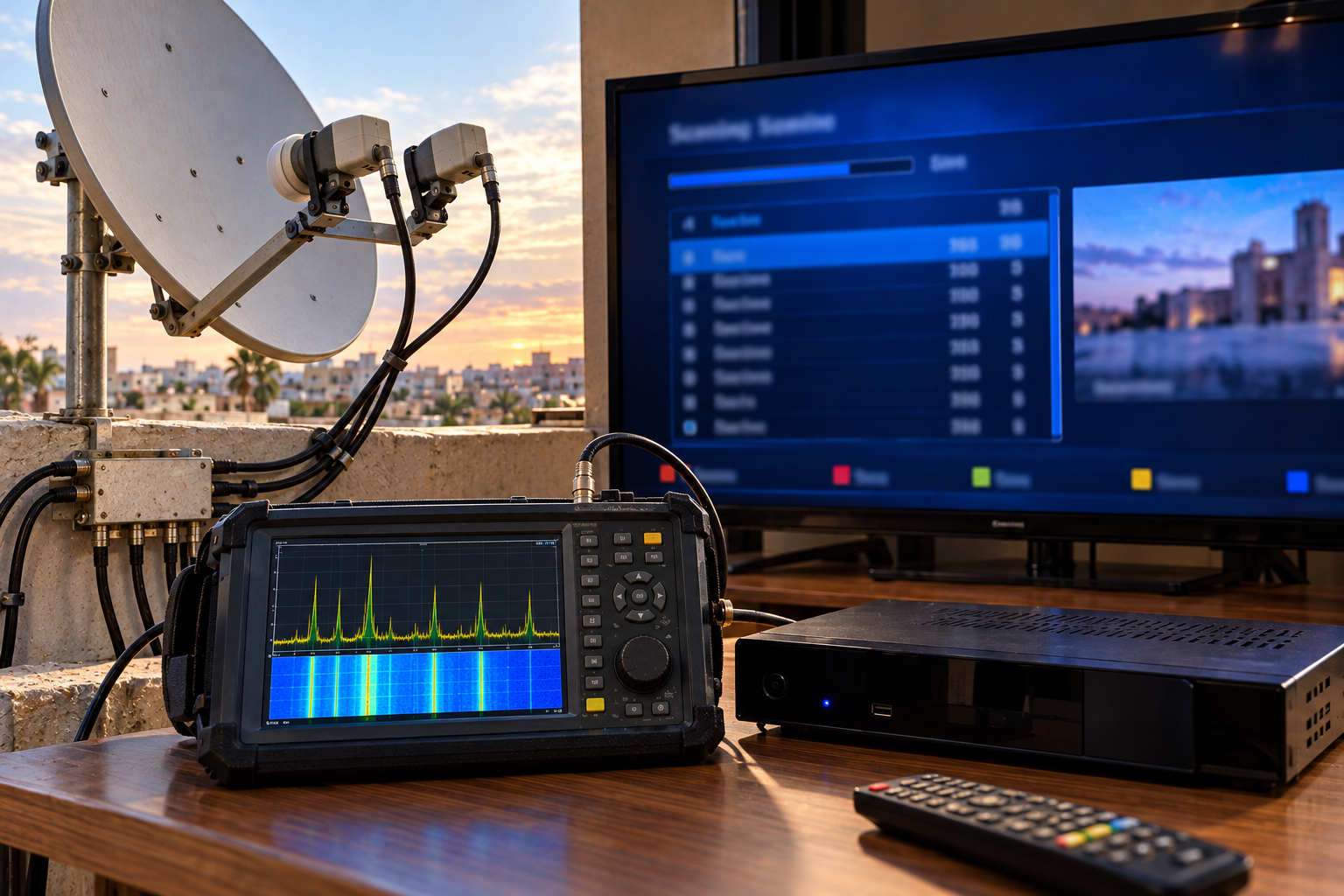
You select Astra 19.2E in your satellite receiver, start a channel scan, and wait for the familiar television services to appear. But the results make no sense. The receiver finds channels you did not expect, misses well-known Astra services, or fills the list with unfamiliar names. The scan finishes successfully, so why does the channel list look like it belongs to another satellite?
The most important detail is that selecting Astra 19.2E in a receiver menu does not prove the dish is actually receiving Astra 19.2E. The receiver’s satellite name is a configuration label, not a physical measurement of orbital position. Wrong DiSEqC switching, outdated transponder data, incorrect LNB settings and misleading scan options can all produce unexpected results. The solution is to verify what the tuner is really receiving before rebuilding the channel database.
A satellite receiver generally does not determine orbital position simply by reading the satellite name selected in its menu. It tunes frequencies using stored parameters and the active antenna configuration. If the dish points toward another satellite, or a DiSEqC switch selects the wrong LNB, the receiver may successfully scan that signal while storing the results under Astra 19.2E. A successful scan proves that services were found, not necessarily that the correct satellite was selected.
- Why the Astra Label Can Mislead You
- How a Receiver Actually Finds Satellite Channels
- Wrong Satellite or Wrong Channel List?
- How DiSEqC Settings Select the Wrong LNB
- Astra 19.2E, Hot Bird 13E and Astra 28.2E
- How Incorrect LNB Settings Confuse Scanning
- Why Outdated Transponder Lists Cause Problems
- Manual Scan, Blind Scan and Network Scan
- What DVB Service Identifiers Reveal
- Why Receivers Find Duplicate or Unexpected Services
- How to Confirm You Are Receiving Astra 19.2E
- Step-by-Step Troubleshooting
- How to Rebuild the Channel List Safely
- Reality Check
- Final Verdict
- Frequently Asked Questions
Why the Astra Label Can Mislead You
Most satellite receivers contain a database of satellite names and orbital positions.
When you select Astra 19.2E, the receiver loads the configuration associated with that entry. This may include transponder frequencies, polarization settings, symbol rates and antenna-switching parameters.
However, the receiver does not necessarily know whether the dish is physically pointed at that orbital position.
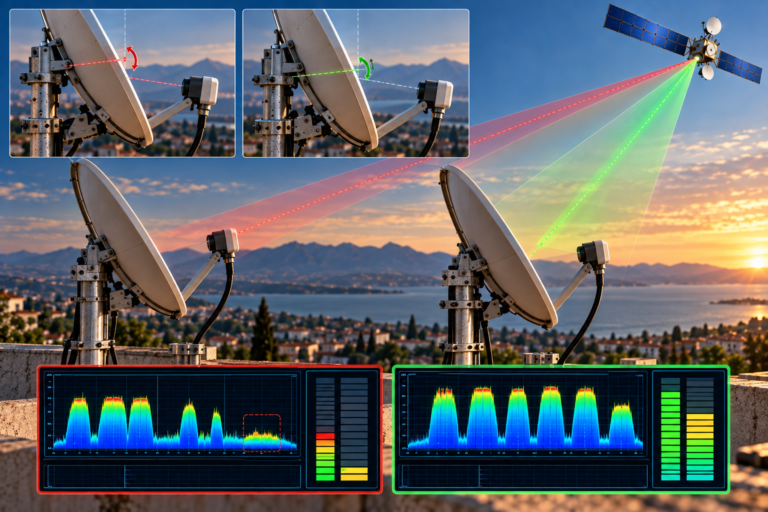
A fixed satellite dish receives signals from the direction in which it is aligned. Selecting a different satellite name in the receiver does not mechanically move the antenna.
Similarly, if the installation uses multiple LNBs and a DiSEqC switch, the receiver must send the correct switching command to select the intended feed.
If that command selects the wrong input, the receiver can receive a different satellite while the screen still displays Astra 19.2E.
This is the first distinction to understand:
The satellite name in the menu is a configuration choice. The actual satellite being received depends on antenna pointing, LNB selection and the RF signal reaching the tuner.
Some receivers and professional instruments can use broadcast metadata or dedicated identification methods to help verify the source, but the ordinary satellite-selection label alone is not proof of orbital position.
How a Receiver Actually Finds Satellite Channels
A satellite receiver does not search the sky for television channel names in the way an internet search engine finds websites.
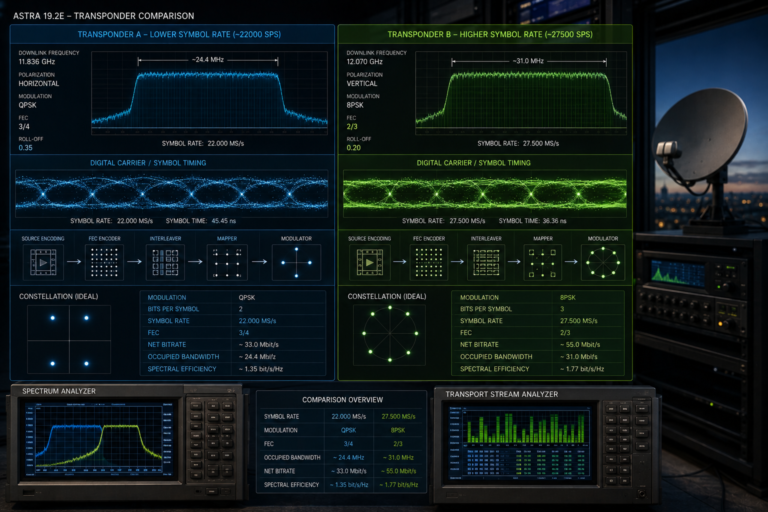
Instead, it tunes radio-frequency carriers using technical parameters.
These commonly include:
- Satellite transponder frequency
- Horizontal or vertical polarization
- Symbol rate
- Transmission standard, such as DVB-S or DVB-S2
- Modulation and other acquisition parameters
- LNB oscillator and switching configuration
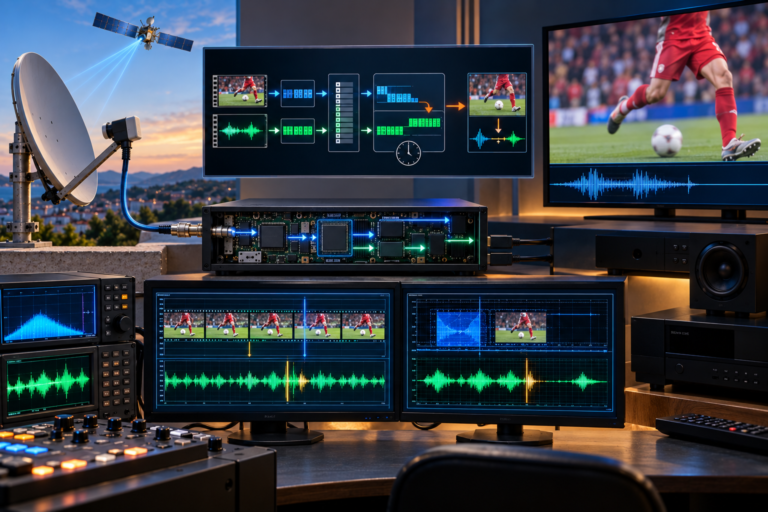
Once the tuner and demodulator lock onto a compatible carrier, the receiver can examine the recovered transport stream.
Service information tables help identify the television, radio and data services carried within that stream.
The receiver can then store those services in its channel database.
But the process contains an important limitation.
If the tuner locks onto a carrier from the wrong satellite, the receiver may still recover valid service information and store the channels.
Whether the receiver notices the mismatch depends on its software, scan mode, metadata checks and configuration.
This is why a completed scan cannot be treated as independent confirmation that Astra 19.2E was received.
Wrong Satellite or Wrong Channel List?
Before changing settings, determine whether the receiver is actually receiving the wrong orbital position or merely displaying an unexpected channel list.
These are different problems.
Wrong satellite reception: The dish or switching system supplies a signal from a different orbital position.
Wrong channel database: The receiver receives the intended satellite but stores outdated services, duplicates, unfamiliar regional variants or incorrectly organized entries.
For example, a receiver may be correctly receiving Astra 19.2E but still display unfamiliar channels because the transponder carries services intended for another language market.
Alternatively, a channel database may retain entries for services that have moved, changed identifiers or stopped broadcasting.
Those symptoms do not automatically indicate that the dish points at the wrong satellite.
| Symptom | Possible Explanation |
|---|---|
| Channels clearly associated with another orbital position appear | Wrong antenna selection or satellite pointing |
| Expected Astra services are missing but other Astra services work | Outdated transponder data, reception problems or scan filters |
| Several copies of similar channel names appear | Duplicate database entries or multiple service versions |
| Channels appear but do not open | Outdated entries, encryption, unsupported formats or reception faults |
| A scan finds very few services | Incorrect scan settings, limited transponder access or incomplete search |
| Different satellite names produce similar scan results | Same physical feed being selected or database/configuration issues |
The goal is to identify which category applies before resetting the receiver.
How DiSEqC Settings Select the Wrong LNB
DiSEqC, or Digital Satellite Equipment Control, allows compatible receivers to control external satellite equipment through the coaxial cable.
In a common multi-satellite installation, a DiSEqC switch connects several LNBs to one receiver.
Each LNB is connected to a particular switch input.
The receiver must send the correct command to select the intended input.
Imagine a two-satellite installation with Astra 19.2E and Hot Bird 13E.
The physical wiring might be:
DiSEqC Port A → Astra 19.2E
DiSEqC Port B → Hot Bird 13E
But if the receiver is configured with the opposite mapping, selecting Astra may activate the Hot Bird LNB.
The receiver could then scan Hot Bird services while storing them under the Astra entry.
The exact port arrangement is installation-specific. There is no universal rule that Astra must always use Port A or Port B.
Monoblock LNBs introduce another complication.
A monoblock combines two receiving feeds and internal switching in one assembly. Its port assignment depends on the product design and installation orientation.
Assuming the wrong mapping can produce unexpected scan results even when the dish is correctly aligned.
Before changing the channel database, verify the physical connections and actual DiSEqC port assignments.
Astra 19.2E, Hot Bird 13E and Astra 28.2E
Several major European satellite orbital positions are close enough in longitude that installation and configuration mistakes can create confusion.
Astra 19.2E, Hot Bird 13E and Astra 28.2E are separate orbital positions with different service lineups and coverage characteristics.
They are not interchangeable merely because all three are commonly used for European satellite television.
The angular separation between their orbital longitudes is approximately:
- Astra 19.2E to Hot Bird 13E: 6.2 degrees
- Astra 19.2E to Astra 28.2E: 9 degrees
These are differences in orbital longitude, not necessarily the exact angular separation seen from every receiving location.
A fixed dish aligned to one position does not automatically receive the others.
However, multifeed installations can use separate LNBs to receive multiple orbital positions.
If the receiver selects the wrong feed, it may tune services from another satellite.
Motorized dishes can create similar confusion if the stored motor position is incorrect.
A receiver may display Astra 19.2E while the motor has actually moved the dish to another location.
Therefore, when the scan finds unexpected channels, verify the antenna’s physical reception direction rather than relying only on the selected satellite name.
How Incorrect LNB Settings Confuse Scanning
The LNB converts satellite downlink frequencies into intermediate frequencies that the receiver can tune.
For a typical European universal Ku-band LNB, the nominal local oscillator frequencies are:
- 9750 MHz for the lower band
- 10600 MHz for the upper band
If the receiver uses an incorrect oscillator setting, its frequency calculations may no longer correspond to the actual signal.
That can cause expected transponders to disappear or appear under incorrect frequency assumptions.
The 22 kHz control tone also matters.
In a conventional universal LNB, the receiver normally uses the tone to select the upper band.
Approximately 13V and 18V supply states are commonly used for vertical and horizontal polarization selection.
If band or polarization switching is incorrect, the receiver may access only part of the available satellite spectrum.
This can produce a channel list that appears incomplete or inconsistent.
However, specialized systems such as Quattro multiswitch installations and Unicable/dCSS distributions use different control arrangements.
Always configure the receiver according to the actual LNB and distribution equipment.
For related troubleshooting, see Why Astra Channels Vanish After an LNB Change.
Why Outdated Transponder Lists Cause Problems
Satellite television services do not remain on the same frequencies forever.
Broadcasters may change transponders, update symbol rates, modify transmission standards or reorganize services.
A receiver with an outdated transponder database may therefore search frequencies that no longer carry the expected services.
It may also miss newer carriers that are absent from its stored list.
This does not mean the receiver is necessarily connected to the wrong satellite.
It means the stored scan information may no longer represent the current satellite configuration.
Another complication is that a receiver may contain duplicate or incorrectly labeled transponder entries.
If those entries are associated with the wrong satellite name, the channel database can become confusing even when the RF reception itself is correct.
The safest approach is to verify a small number of current Astra 19.2E transponders using a reliable source before performing a full scan.
Useful sources include official satellite operator information, broadcaster technical notices and maintained transponder directories.
Do not rely exclusively on an old receiver database or a frequency list copied from an outdated forum post.
Manual Scan, Blind Scan and Network Scan
Different scanning methods serve different purposes.
Choosing the wrong method can make troubleshooting harder.
Manual Transponder Scan
A manual scan searches a specific carrier using known transmission parameters.
This is usually the best starting point when verifying whether the receiver can lock onto a known Astra transponder.
It limits the test to a controlled frequency and avoids introducing hundreds of unrelated channel entries.
Blind Scan
A blind scan searches for detectable satellite carriers without relying entirely on a predefined transponder list.
It can discover frequencies missing from an outdated database.
However, it cannot independently guarantee that the antenna is receiving the satellite named in the menu.
If the wrong LNB or orbital position is selected, a blind scan may simply discover carriers from that unintended source.
Network Scan
Some receivers support a network scan that uses information transmitted within the DVB service-information structure to discover additional transport streams.
The Network Information Table, or NIT, can describe transport streams and associated delivery parameters.
Depending on the broadcaster and receiver implementation, a network scan may expand the search beyond the initially selected transponder.
This can be useful for finding related services, but the results depend on the information actually transmitted and how the receiver processes it.
| Scan Method | Best Use | Main Limitation |
|---|---|---|
| Manual scan | Testing a known transponder | Requires correct current parameters |
| Blind scan | Discovering detectable carriers | Does not prove the selected orbital position |
| Network scan | Finding related transport streams from transmitted metadata | Depends on NIT data and receiver implementation |
| Full satellite scan | Building a channel list from the configured satellite entry | Can preserve configuration mistakes and outdated entries |
For troubleshooting, begin with manual verification before performing a broad scan.
What DVB Service Identifiers Reveal
DVB television systems use several identifiers to organize services and transport streams.
Three particularly useful identifiers are:
- Original Network ID (ONID)
- Transport Stream ID (TSID)
- Service ID (SID)
Together, these identifiers help distinguish services within the DVB service-information system.
The Service ID identifies a service within its transport stream.
The Transport Stream ID identifies the transport stream within the relevant original network context.
The Original Network ID helps identify the originating network namespace.
These values can help distinguish services that have similar names or appear more than once in a receiver database.
However, they should not be treated as a simple universal code that directly reveals the satellite’s orbital longitude.
The same service names can appear on different satellites, and receiver software may handle identification metadata differently.
A professional diagnosis combines service identifiers with verified carrier parameters and actual satellite reception information.
That is more reliable than identifying the satellite from channel names alone.
Why Receivers Find Duplicate or Unexpected Services
Duplicate channels are another common source of confusion after an Astra scan.
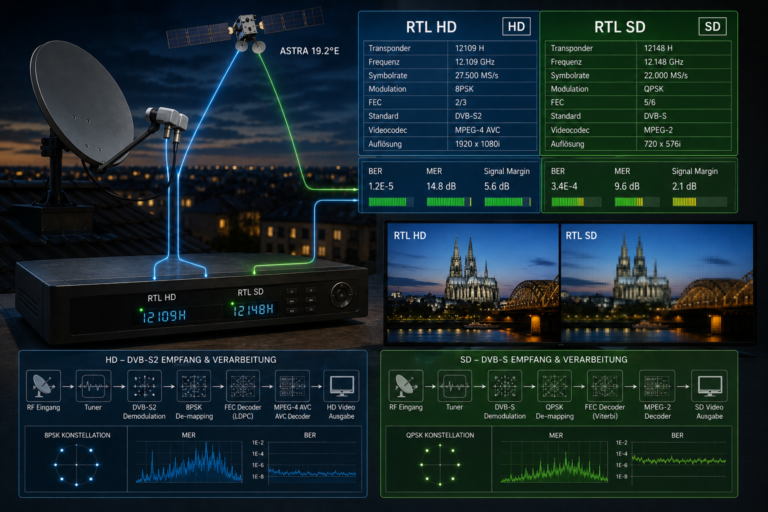
A receiver may store multiple versions of a service because they have different technical identifiers, regional variants or transmission formats.
Some services may have SD and HD versions.
Others may be distributed in different regional configurations or carried through separate transport streams.
Outdated entries can also remain in the database after a broadcaster changes its transmission arrangements.
If the receiver does not remove those entries automatically, the channel list may contain services that no longer open.
Another possibility is that the same service has been imported from multiple satellite database entries.
This can happen after repeated scans using incorrect satellite labels or switching configurations.
Therefore, duplicate channel names are not sufficient evidence that the dish is receiving multiple satellites simultaneously.
Check the associated frequency, transport stream and service identifiers before deciding whether an entry is genuinely duplicated.
How to Confirm You Are Receiving Astra 19.2E
The most reliable practical approach is to verify several current, known Astra 19.2E carriers rather than relying on the satellite label.
Begin with a transponder whose technical parameters have been confirmed from a current trustworthy source.
Enter its frequency, polarization, symbol rate and any additional parameters required by the receiver.
Then check whether the tuner acquires a stable carrier lock.
However, one successful lock is not always enough to establish the orbital position conclusively.
Different satellites can use overlapping or similar frequency and symbol-rate combinations.
For stronger verification, compare multiple known carriers and examine the recovered service information.
Where supported, use network and transport-stream identifiers as additional evidence.
A professional satellite meter with appropriate satellite identification capabilities can make the process more reliable.
- Confirm the physical dish and LNB arrangement.
- Verify the correct DiSEqC or motor position.
- Check LNB oscillator and switching settings.
- Manually tune a current known Astra 19.2E carrier.
- Repeat with additional independent carriers.
- Compare recovered services and identifiers with verified reference information.
- Only then perform a full channel scan.
This approach reduces the chance of building a channel list from the wrong satellite.
Step-by-Step Troubleshooting
Step 1: Stop scanning repeatedly.
If the receiver keeps finding unexpected services, another blind scan may only add more confusing entries.
Step 2: Save the current channel list.
Use the receiver’s backup function if available. This protects existing settings and working channels.
Step 3: Identify the antenna configuration.
Determine whether the installation uses one fixed LNB, multiple LNBs, a monoblock, a multiswitch or a motorized dish.
Step 4: Verify DiSEqC assignments.
Confirm which physical switch port corresponds to Astra 19.2E. Do not assume the default port mapping is correct.
Step 5: Check LNB settings.
Make sure the receiver uses the correct oscillator frequencies, band switching and polarization control for the installed hardware.
Step 6: Test a verified transponder manually.
Use current parameters from a reliable source and check whether the receiver locks onto the expected carrier.
Step 7: Compare multiple carriers.
Verify more than one transponder to reduce the chance of misidentifying the satellite from a coincidental frequency match.
Step 8: Inspect service information.
Where the receiver supports it, compare ONID, TSID, SID and service names with known reference data.
Step 9: Investigate motor position if applicable.
For motorized installations, confirm that the dish actually reaches the intended orbital position and that the stored position is correct.
Step 10: Rebuild the channel list.
Once the satellite and reception configuration are confirmed, update the transponder database and perform an appropriate scan.
Change one configuration variable at a time so that the actual cause remains identifiable.
How to Rebuild the Channel List Safely
After correcting the underlying problem, the receiver’s channel database may still contain entries created during earlier incorrect scans.
Cleaning the database can help, but it should be done carefully.
First, back up any working channel list or receiver configuration.
Next, verify that the Astra 19.2E satellite entry contains the correct antenna and LNB settings.
Remove clearly obsolete or incorrectly associated transponder entries where the receiver allows selective editing.
Then update the list using verified current transponder parameters.
Perform a manual scan of representative carriers before starting a broader search.
If the receiver supports scan filters, choose them deliberately.
For example, scanning only free-to-air services will exclude encrypted services even when their transponders are received correctly.
Likewise, a television-only filter may omit radio and data services.
These are expected consequences of the selected scan mode, not evidence that the satellite is missing channels.
Finally, review duplicate entries and remove them based on their actual service information rather than their names alone.
A factory reset should generally be a last resort because it can erase working antenna settings, channel organization and motor or DiSEqC configurations.
Reality Check
A receiver finding channels under Astra 19.2E does not prove that the dish is receiving Astra 19.2E.
The selected satellite name is normally a configuration label. The actual RF source depends on dish pointing, LNB selection, switching commands and the signal reaching the tuner.
Incorrect DiSEqC assignments can make a receiver scan another satellite while displaying Astra in the menu.
Outdated transponder lists, scan filters and duplicate service entries can also produce unexpected results even when the correct satellite is being received.
Service identifiers and broadcast metadata can help with verification, but they must be interpreted alongside known carrier parameters and the physical antenna configuration.
Before deleting channels or moving the dish, confirm what the receiver is actually tuned to.
Final Verdict
When your receiver finds the wrong Astra channels, the first task is to verify the satellite source, not to repeat the scan.
Astra 19.2E in the receiver menu is not an automatic guarantee of correct orbital positioning.
Wrong DiSEqC ports, monoblock assignments, motor positions and LNB settings can all direct the tuner toward an unintended signal.
Even when the dish receives the correct satellite, outdated transponder information, network scan behavior and duplicate service entries can make the results appear incorrect.
The most reliable solution is to verify the antenna configuration, manually tune multiple current Astra 19.2E carriers and examine the recovered service information where possible.
Only after confirming the actual reception source should you update the transponder database and rebuild the channel list.
A successful scan tells you that the receiver found decodable services. Correct satellite identification requires an additional step: proving where those services came from.
Frequently Asked Questions
| Question | Answer |
|---|---|
| Why does my receiver find the wrong channels on Astra 19.2E? | Possible causes include incorrect DiSEqC selection, wrong dish positioning, outdated transponder data, unsuitable LNB settings or channel database errors. |
| Does selecting Astra 19.2E automatically point the dish at Astra? | No. A fixed dish remains physically aligned to its existing direction. Motorized systems require correct movement commands and stored positions. |
| Can a receiver scan Hot Bird channels while Astra is selected? | Yes. If the antenna or DiSEqC configuration supplies a Hot Bird signal, the receiver may find its services even though Astra is selected in the menu. |
| How do I know whether my dish is receiving Astra 19.2E? | Verify multiple current known Astra transponders, confirm the antenna configuration and compare recovered service information with reliable reference data. |
| Can wrong DiSEqC settings cause incorrect channel scans? | Yes. An incorrect port assignment can select another LNB and therefore another satellite. |
| Why does blind scan find unexpected channels? | Blind scan discovers detectable carriers from the active RF input. It does not necessarily verify that the signal comes from the satellite named in the receiver menu. |
| What is the difference between manual scan and network scan? | Manual scan searches a selected carrier. Network scan may use transmitted DVB network information to discover additional transport streams, depending on receiver support. |
| Why are some Astra channels duplicated? | Duplicates can result from multiple service versions, outdated entries, repeated scans or incorrect database associations. |
| Can outdated transponder frequencies cause missing channels? | Yes. Broadcasters can change transmission parameters, so an old frequency database may omit current services or retain obsolete ones. |
| Should I factory reset the receiver to fix wrong Astra channels? | Not as the first step. Verify antenna selection and scan settings, back up the channel list and correct the underlying configuration before considering a reset. |