Sky Italia Streaming Problems Explained What Really Causes Interruptions

Estimated reading time: 10 to 12 minutes.
Streaming interruptions are one of the most frustrating issues users face when watching Sky Italia. The video suddenly pauses, the screen freezes, or playback stops completely for a few seconds before resuming. These interruptions often appear random, which makes them harder to understand and fix.
In reality, interruptions are rarely random. They are usually the result of specific technical conditions affecting how data is delivered, buffered, and processed. By breaking down how streaming works and identifying where delays happen, it becomes possible to understand what really causes interruptions and how to reduce them.
Quick Context. Sky Italia streaming interruptions happen when the continuous flow of video data is disrupted. This can be caused by network instability, buffering limits, server load, or device performance issues.
Table of Contents
What a streaming interruption actually means
How continuous data flow works
Network instability as a primary cause
Buffer limits and playback pauses
Server load and peak demand effects
Device performance and decoding issues
WiFi and local network factors
What a streaming interruption actually means
A streaming interruption occurs when playback cannot continue smoothly because the next part of the video has not arrived in time. Unlike traditional broadcasting, where a continuous signal is received, streaming relies on a sequence of data segments that must arrive in order and without delay.
If even one part of that sequence is delayed or lost, playback pauses. This pause is what users experience as an interruption. The system is waiting for enough data to continue safely without skipping or corrupting playback.
This means interruptions are directly tied to timing. The system must receive data at the correct pace. Any disruption in timing can break continuity.
How continuous data flow works
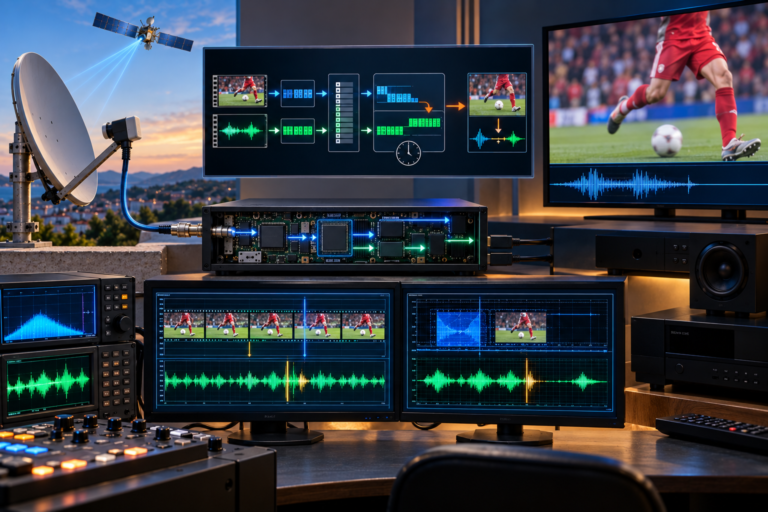
Streaming systems divide video into small segments. Your device requests these segments continuously while you watch. Each segment represents a short portion of the stream.
The device stores a few segments in a buffer. This buffer acts as a temporary reserve. As long as new segments arrive faster than playback consumes them, the stream continues smoothly.
When delivery slows down, the buffer starts to empty. If it reaches zero, playback stops. This is the exact moment when an interruption appears on screen.
Therefore, maintaining uninterrupted playback depends on keeping the buffer filled consistently.
Network instability as a primary cause
The most common cause of interruptions is network instability. This does not always mean the connection is slow. It means the connection is inconsistent.
Even short drops in data flow can interrupt streaming. These drops may last only milliseconds, but if they happen frequently, they disrupt the timing of segment delivery.
Network instability can come from several sources. ISP routing behavior, congestion during peak hours, or local network conditions can all affect consistency. The key issue is not total speed, but how stable the connection remains over time.
Buffer limits and playback pauses
The buffer is designed to absorb small interruptions, but it has limits. Once the buffer runs out of stored data, playback must pause until more data arrives.
Some streaming systems use larger buffers to reduce interruptions. Others use smaller buffers to reduce delay. Sky Italia balances these factors depending on the content type and playback conditions.
If interruptions happen frequently, it means the buffer cannot keep up with the rate of delivery. This points directly to instability in the data flow.
Server load and peak demand effects
During high demand periods, such as live sports events, many users request the same content at the same time. This increases pressure on the delivery system.
Modern platforms use distributed infrastructure to handle this load, but no system is completely immune to stress. Under heavy demand, delivery timing may become less consistent.
This does not always cause complete failure, but it can contribute to interruptions, especially when combined with local network issues.
Device performance and decoding issues
Not all interruptions come from the network. The device itself plays a major role in maintaining playback. It must decode video in real time and manage buffer memory efficiently.
If the device cannot keep up, playback may pause even when data is available. This can happen on older smart TVs or devices with limited processing power.
Thermal conditions can also affect performance. Devices that overheat may slow down, leading to temporary interruptions.
WiFi and local network factors
WiFi adds complexity to streaming performance. Signal strength alone does not guarantee stability. Interference, distance, and congestion all affect how data is transmitted.
In many homes, multiple devices share the same WiFi network. This creates competition for bandwidth. As demand changes, the available capacity for streaming also changes.
These variations can lead to interruptions even when the internet connection is generally fast.
Using Ethernet reduces these variables and often improves consistency.
How to diagnose interruptions step by step
Start by identifying whether interruptions affect all channels or only specific ones. If only certain channels are affected, the issue may be related to content delivery paths.
Next, test multiple devices. If one device experiences interruptions while another works fine, the problem is likely local to that device or its connection.
Check connection type. If interruptions occur on WiFi but not on Ethernet, the issue is related to wireless stability.
Observe timing patterns. If interruptions happen during peak hours, network congestion may be a factor. If they happen after long usage, device performance may be involved.
Restarting the system can help isolate temporary issues, but identifying patterns provides more reliable answers.
| Cause | Technical Effect | Visible Symptom | Recommended Check |
|---|---|---|---|
| Network instability | Inconsistent data delivery | Frequent buffering | Test connection stability |
| Buffer depletion | Playback data runs out | Pause and loading screen | Observe timing of interruptions |
| Server load | Delayed segment delivery | Interruption during live events | Compare performance at different times |
| Device limitation | Slow decoding or processing | Freeze or stutter | Test another device |
| WiFi congestion | Packet delay and loss | Random interruptions | Switch to Ethernet |
Reality Check
Streaming interruptions are not caused by a single factor. They result from how multiple parts of the system interact. Network conditions, server load, buffering behavior, and device performance all contribute to the final experience. Focusing on only one element often leads to incomplete solutions.
Final Verdict
Sky Italia streaming interruptions happen when the balance between data delivery, buffering, and playback is disrupted. Even small timing issues can break continuity. The key to solving interruptions is understanding where the disruption occurs and addressing that part of the system. Stable streaming depends on consistent performance across the entire chain, not just one strong component.
FAQ
| Question | Answer |
|---|---|
| Why do Sky Italia streams interrupt randomly | Because data delivery becomes inconsistent, often due to network instability or buffering limits. |
| Can interruptions happen even with fast internet | Yes. Fast speed does not guarantee stable delivery or low latency. |
| Does WiFi cause interruptions | Yes. WiFi can introduce instability due to interference and congestion. |
| Can the device cause streaming interruptions | Yes. Devices with limited processing power may struggle to maintain playback. |
| How can I reduce interruptions | Use a stable connection, reduce interference, and ensure your device performs well. |