The Hidden Cause Behind Tring Audio Delay and Lip-Sync Problems
Estimated Reading Time: 8 minutes
A Tring channel can have a perfectly stable satellite signal while the sound still arrives slightly before or after the picture. A presenter moves their lips, but the words seem displaced in time. During football, the sound of a kick or crowd reaction may not line up precisely with the action on screen.
This is often blamed on the dish or signal strength, but a clean and constant audio-video offset usually points somewhere else. Digital television carries audio and video as separate compressed streams, and the receiver must reconstruct their timing correctly. Encoding, MPEG transport timing, receiver buffering, television processing and external audio equipment can all change the relationship between what you see and what you hear.
There are two different problems that viewers often call “delay.” If both picture and sound arrive late compared with the real-world event but remain synchronized with each other, that is broadcast latency. If the picture and sound do not match each other, that is an audio-video synchronization or lip-sync problem. The two require different troubleshooting.
- Broadcast Delay vs Lip-Sync Error
- Why Audio and Video Travel as Separate Streams
- How Digital Television Keeps Them Synchronized
- What PCR Does Inside the Transport Stream
- Why PTS Is Critical for Lip Sync
- The Problem Can Begin Before the Satellite
- How Receiver Buffering Can Create Delay
- Why Video Often Needs More Processing Than Audio
- Why Changing Audio Tracks Can Reveal a Problem
- HDMI Is Another Part of the Chain
- Your Television Can Create Lip-Sync Delay
- Soundbars and AV Receivers Add Another Path
- Can Weak Satellite Signal Cause Audio Delay?
- How to Find the Real Cause
- Reality Check
- Final Verdict
- FAQ
Broadcast Delay vs Lip-Sync Error
This distinction should be made before changing any equipment.
Imagine a footballer scores a goal at the stadium. Five seconds later, your television shows the goal and you hear the kick at exactly the correct moment relative to the picture.
That is latency.
The entire programme is behind the physical event, but its internal audio-video synchronization remains correct.
Now imagine that the picture shows the player kicking the ball, but the sound of the kick occurs noticeably later.
That is a synchronization error.
| Symptom | Technical Meaning |
|---|---|
| Audio and video are both behind the real event | End-to-end broadcast latency |
| Audio occurs after the matching picture | Audio lag or A/V synchronization error |
| Audio occurs before the matching picture | Video processing delay or A/V synchronization error |
| Synchronization gradually changes over time | Possible clock, timestamp, buffering or device issue |
A satellite dish cannot eliminate normal broadcast latency, and improving RF signal strength does not automatically correct a stable lip-sync offset.
Why Audio and Video Travel as Separate Streams
A television programme is not transmitted as one inseparable block containing perfectly locked pictures and sound.
Video is compressed into a video elementary stream. Audio is encoded separately into one or more audio streams.
Additional information such as subtitles and service data can also be present.
These components are packetized and carried within an MPEG Transport Stream.
A receiver selecting a Tring service must identify the relevant components, separate them from the multiplex, decode them and present them at the correct times.
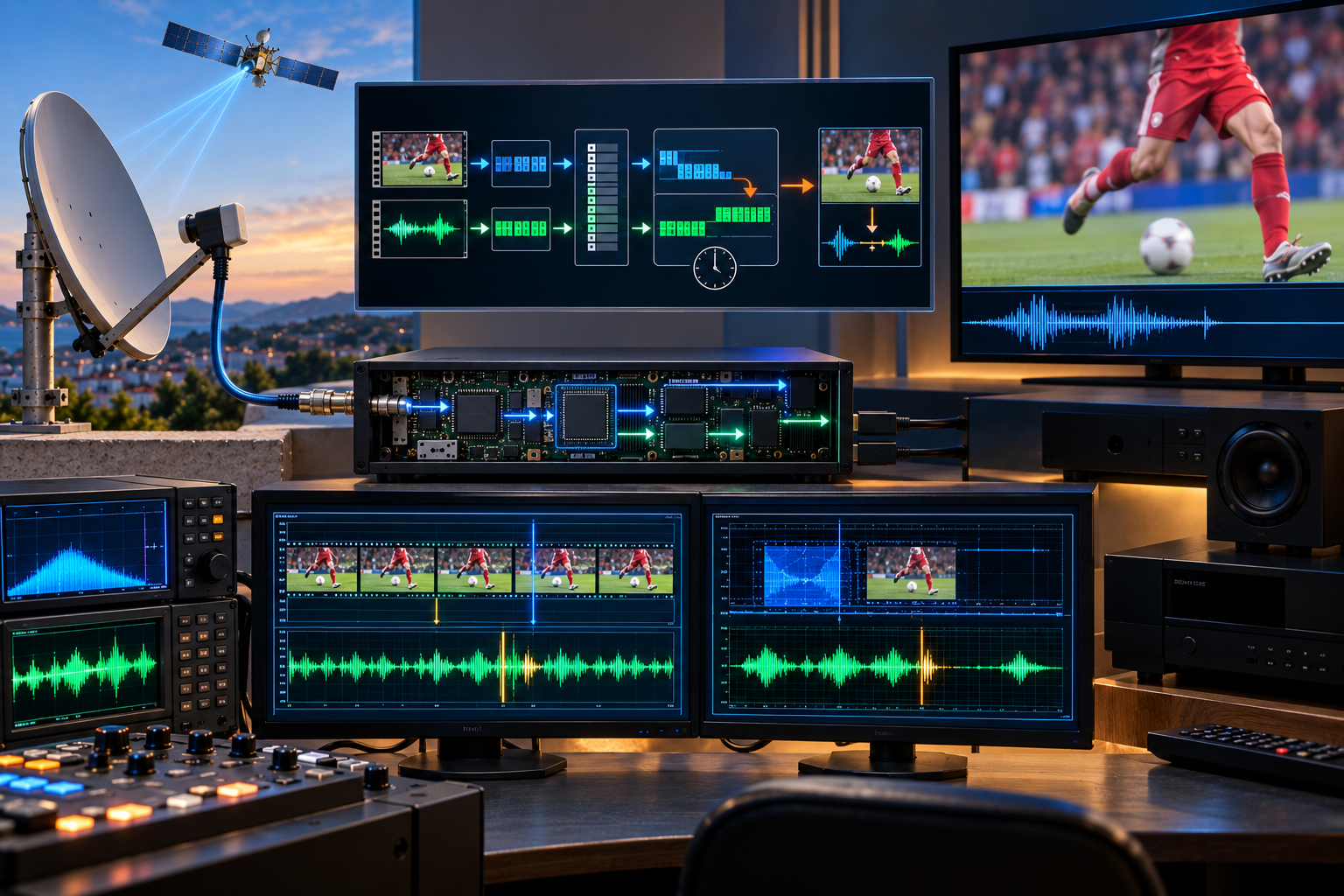
Video encoder + audio encoder → packetized streams → MPEG Transport Stream → satellite distribution → receiver demultiplexer → video/audio decoders → synchronized playback.
Because audio and video follow different encoding and decoding processes, synchronization information is essential.
How Digital Television Keeps Them Synchronized
Digital broadcast systems do not rely on the receiver simply assuming that the next audio packet belongs to the next video frame.
Timing information tells the receiving system when programme elements should be presented.
This is necessary because video and audio can experience different processing delays.
Video compression may reorder pictures internally. Buffers can temporarily hold data. Audio frames have their own decoding process.
Packets from several services are also interleaved within the transport stream.
The receiver therefore needs a common timing framework.
Two concepts are particularly useful for understanding this process: PCR and PTS.
What PCR Does Inside the Transport Stream
PCR stands for Program Clock Reference.
It provides timing information that allows the receiver to reconstruct a clock related to the programme’s original timing base.
This matters because the receiver needs a stable reference for presenting programme components correctly over time.
The broadcaster’s transport system and the receiver do not have independent clocks that can simply be assumed to remain perfectly identical forever.
The PCR helps the decoder recover the timing relationship required for playback.
Excessive timing disturbance or incorrect handling can contribute to playback problems, although PCR should not be blamed automatically whenever viewers notice lip-sync error.
It is one part of a larger timing architecture.
Why PTS Is Critical for Lip Sync
PTS stands for Presentation Time Stamp.
It tells the decoder when a particular audio or video presentation unit is intended to be presented relative to the programme clock.
This allows the receiver to keep separately encoded audio and video aligned.
If video requires more decoding time than audio, the receiver can buffer the streams and schedule their presentation appropriately.
Another timestamp, DTS or Decoding Time Stamp, can be relevant where decoding order differs from presentation order.
This is especially important for compressed video structures where frames may not be decoded in exactly the same sequence in which viewers ultimately see them.
PCR helps establish the programme timing reference. PTS tells the decoder when content should be presented. Correct receiver timing and buffering then keep audio and video aligned despite different processing paths.
That is why lip sync is fundamentally a timing problem, not simply an RF signal-strength problem.
The Problem Can Begin Before the Satellite
Not every synchronization problem originates inside the viewer’s receiver.
The audio and video may already be misaligned earlier in the broadcast chain.
A live programme can pass through production equipment, contribution links, encoders, multiplexers and other processing before reaching the final satellite uplink.
If a timing offset is introduced upstream and carried correctly through the satellite system, every receiver may reproduce the same incorrect relationship.
This provides an important diagnostic clue.
If the lip-sync problem appears on one specific Tring channel while other services remain correctly synchronized on the same receiver and television, a programme-specific or upstream issue becomes more plausible.
If every channel shows approximately the same offset, local receiver, HDMI, television or audio-system processing deserves more attention.
How Receiver Buffering Can Create Delay
A satellite receiver cannot display compressed packets immediately as they arrive from the tuner.
First, the DVB-S2 demodulator must recover the transmitted data and apply forward error correction. The transport stream is then processed and the selected programme components are extracted.
Audio and video decoders need data buffers to operate reliably.
Video frames may also need to be reordered before display.
The receiver must coordinate these processes while respecting programme timing.
A firmware bug, unusual stream condition or incorrect buffering behaviour can disturb synchronization.
This explains why one receiver can occasionally show a lip-sync problem while another receiver connected to the same satellite service does not.
Restarting the receiver may clear a temporary buffer or software state, but that does not prove the underlying cause has been permanently fixed.
For a deeper explanation of this processing chain, see What Happens Inside a Satellite Receiver.
Why Video Often Needs More Processing Than Audio
Modern compressed video can require considerably more processing than audio.
An H.264 video decoder, for example, may need to reconstruct frames using information from other pictures. Some pictures can be decoded in a different order from the sequence in which they are displayed.
Video processing does not necessarily end inside the satellite receiver either.
The television may perform deinterlacing, scaling, noise reduction, frame-rate conversion or motion interpolation after receiving the decoded signal.
Audio can follow a shorter processing path.
If the video is delayed more than the audio and the system does not compensate correctly, the viewer hears sound before seeing the corresponding action.
This is why some televisions and AV equipment provide an adjustable audio-delay setting.
The purpose is often to delay audio so that it can be aligned with a more heavily processed video path.
Why Changing Audio Tracks Can Reveal a Problem
A television service can contain more than one audio component.
Different languages, commentary feeds or audio formats can follow different encoding and processing paths before being combined with the video.
If the synchronization problem occurs only on one available audio track, that is valuable diagnostic information.
It suggests that the complete satellite RF carrier is probably not the primary cause because the same video and other programme components are arriving through the same transmission path.
The problem may instead be associated with that particular audio stream or its processing.
If every audio track has exactly the same offset, the investigation should continue further downstream or upstream depending on which other channels are affected.
HDMI Is Another Part of the Chain
After the satellite receiver has decoded the programme, audio and video commonly travel to the television through HDMI.
That adds another processing interface.
HDMI itself is designed to transport synchronized digital audio and video, but the devices at either end can process those components differently.
The satellite receiver may output audio directly while the television performs several frames of image processing.
Alternatively, the television may pass audio onward to another device while retaining video for its own display processing.
Changing output format or connecting equipment differently can therefore alter the apparent lip-sync relationship even though the satellite programme itself has not changed.
Your Television Can Create Lip-Sync Delay
Modern televisions contain substantial video-processing hardware.
Depending on the selected picture mode, the television may apply deinterlacing, scaling, noise reduction, sharpening, frame interpolation and other enhancement algorithms.
Some operations require frames to be buffered.
That delays the picture.
If audio reaches the speakers through a faster processing path, it may begin to lead the video.
A useful diagnostic test is to temporarily disable heavy video-processing features or try a reduced-processing picture mode.
If synchronization changes significantly, the television is contributing to the problem.
This does not necessarily mean the TV is defective. It may simply require appropriate A/V synchronization settings for the connected equipment.
Soundbars and AV Receivers Add Another Path
The system becomes more complicated when audio does not come directly from the television speakers.
A soundbar or AV receiver may receive audio through HDMI, ARC, eARC or another connection.
It can then decode surround formats, perform digital signal processing and apply its own buffering.
The video may simultaneously follow another route to the television.
Now the audio and video are travelling through partially separate device chains.
| Observed Problem | Useful Test |
|---|---|
| All channels have audio delay | Test television speakers instead of external audio equipment |
| Only one channel is affected | Compare other services and available audio tracks |
| Problem changes with picture mode | Investigate television video processing |
| Problem disappears after receiver restart | Investigate receiver firmware or buffering |
| TV speakers are synchronized but soundbar is not | Investigate HDMI/ARC/eARC and external audio processing |
| Same channel is out of sync on multiple independent receivers | Upstream programme timing becomes a stronger possibility |
Can Weak Satellite Signal Cause Audio Delay?
This question requires an important distinction.
A marginal satellite signal can cause bit errors, transport-stream corruption, audio dropouts, pixelation, frozen frames and loss of carrier lock.
Those symptoms can certainly disturb playback.
But a clean, stable and repeatable lip-sync offset is not the typical signature of simply having a slightly weak RF signal.
If the picture remains stable and the sound is consistently, for example, perceptibly ahead of the lips, adding dish gain is unlikely to address the timing mechanism responsible.
Satellite RF quality should still be verified if there are freezing or dropout symptoms, but the troubleshooting should then move through the receiver and A/V processing chain.
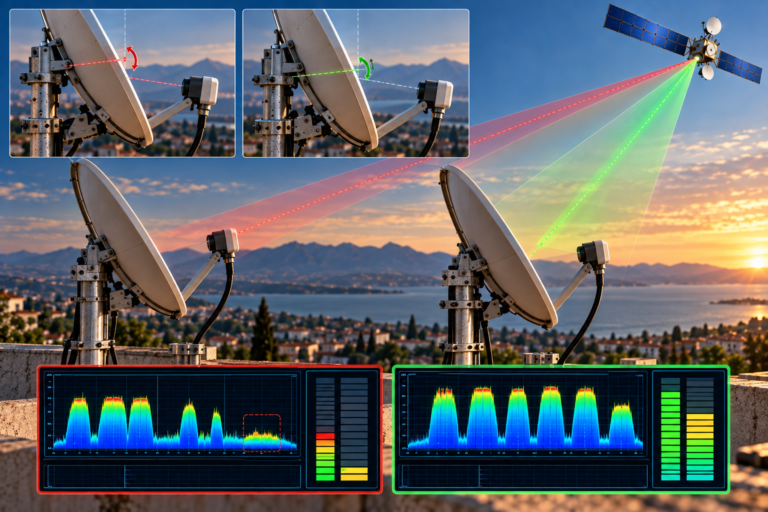
Poor RF reception usually produces errors and interruptions rather than a neat, constant audio-video timing offset. Do not automatically realign the dish because speech appears out of sync.
How to Find the Real Cause
Lip-sync troubleshooting becomes much easier when the system is simplified one stage at a time.
1. Determine whether the problem is overall broadcast latency or actual audio-video mismatch.
2. Check whether one Tring channel or many channels are affected.
3. If multiple audio tracks are available, compare them.
4. Restart the satellite receiver and test again.
5. Check for appropriate receiver firmware updates.
6. Test the television’s internal speakers.
7. Temporarily remove the soundbar or AV receiver from the audio path.
8. Disable heavy television video-processing features and compare the result.
9. Check A/V sync or audio-delay controls on the receiver, television and audio system.
10. If possible, test the same channel using another compatible receiver and display path.
The pattern is more useful than a single observation.
If one channel is out of sync on multiple independent receivers while other channels remain correct, the evidence points toward a channel or upstream programme issue.
If every channel is affected only when a soundbar is connected, the external audio path becomes the stronger suspect.
If changing the television’s picture processing changes the offset, display latency is clearly involved.
This method is far more informative than changing the dish, LNB and receiver simultaneously.
Reality Check
There is no single hidden defect that explains every Tring audio-delay complaint.
The offset can originate before satellite transmission, during programme encoding and multiplexing, inside receiver timing and buffering, or after decoding in the television and external audio equipment.
Also, do not confuse the several seconds of delay that may exist between a live football match and the television picture with lip sync. If the audio and video remain aligned with each other, the programme can be delayed while still being technically synchronized.
Likewise, a strong satellite signal does not guarantee correct A/V timing, and a constant lip-sync error does not by itself prove poor RF reception.
Final Verdict
The hidden cause behind many Tring audio-delay complaints is not the satellite path itself but the timing relationship between separate audio and video processing chains.
Digital television uses programme clocks and timestamps to tell receivers when compressed audio and video should be presented. The receiver then has to buffer, decode and synchronize those streams correctly.
After that, the television may delay the picture through image processing while a soundbar or AV receiver processes audio through another path. A synchronization error can therefore appear even when DVB-S2 reception is completely stable.
The most effective diagnosis is to determine where the offset first appears. Compare channels, audio tracks, receivers, television speakers and external audio devices. Separate RF errors from timing errors, and separate lip sync from normal live-broadcast latency.
Once those distinctions are made, an apparently mysterious audio delay becomes a much more manageable engineering problem.
Frequently Asked Questions
| Question | Answer |
|---|---|
| Why is the sound behind the picture on a Tring channel? | The audio path may contain more delay than the video path, or timing may have been disturbed during encoding, receiver buffering or external audio processing. The exact stage needs to be isolated. |
| Why does the sound sometimes come before the picture? | Video often requires substantial decoding and display processing. If the television delays video more than the audio path and compensation is insufficient, sound can lead the picture. |
| Can a weak satellite signal cause lip-sync problems? | Poor RF quality can cause corruption, freezing and dropouts, but a stable constant A/V offset is more commonly investigated as a timing or processing problem. |
| What is PTS in digital television? | PTS means Presentation Time Stamp. It helps tell the decoder when a particular audio or video unit should be presented relative to the programme timing reference. |
| What is PCR? | PCR means Program Clock Reference. It helps the receiver reconstruct the timing reference used for synchronized programme playback. |
| Can the television itself cause audio delay? | Yes. Video processing such as deinterlacing, scaling and motion interpolation can delay the picture. Audio-delay compensation may then be required to maintain synchronization. |
| Can a soundbar cause Tring lip-sync problems? | Yes. External audio devices introduce another processing path. Testing with the television’s internal speakers can help determine whether the soundbar or AV receiver contributes to the offset. |
| Why is only one Tring channel out of sync? | If other channels are correct on the same equipment, the affected programme’s audio track, encoding or upstream timing becomes a stronger possibility than a system-wide hardware problem. |
| Is live sports delay the same as lip sync? | No. Live latency means both picture and sound arrive later than the real event. Lip-sync error means the audio and video do not align with each other. |
| Will realigning the dish fix a constant audio delay? | Usually not if RF reception is already stable and error-free. Dish alignment affects reception margin, while a constant clean lip-sync offset normally points toward timing or A/V processing. |